
Full transparency: we're AI Singer, so yes, we made this list and we're on it. We tried to be fair — but we'd also pick ourselves in a lineup, so take that as you will. ;)
How we compared
Since we build one of these tools, here's exactly where everything below comes from, so you can judge for yourself:
- AI Singer details are first-hand — we build it, run it, and use it daily.
- Competitor details come from their public websites, pricing pages, and documentation, re-checked in July 2026, plus what their users publicly report. We don't pretend we ran a secret lab test.
- Screenshots show each tool's current public interface as of this update.
If we got a fact about a competitor wrong, tell us and we'll fix it.
The AI music landscape right now
AI music tools have exploded in the past two years. You can now type a sentence and get a fully produced song back in minutes. But "AI song generator" actually covers three different kinds of tools, and picking the wrong kind is the most common mistake people make:
- Text-to-song generators (Suno, Udio) — type a prompt, get a finished song with AI vocals. Great for volume and experimentation.
- Voice-clone song generators (AI Singer) — the song is generated and sung in your own cloned voice. Great for personal songs.
- Voice converters (Kits.ai) — you bring finished music, and it swaps who's singing. Great for producers and cover artists.
A YouTube creator who needs background tracks has different needs than a dad who wants to sing his daughter a birthday song in his own voice. Here's the breakdown — what each tool is good at, where it falls short, and who should use it.
The contenders
AI Singer
AI Singer is built around one idea: make songs personal. The entire flow happens on your phone and takes three steps:
- Record your voice — you read a short on-screen script for about 10 seconds. That's the entire "training" process. No uploading files, no reading 20 pages of text.
- Describe your song — who it's for, the occasion, the inside jokes. The AI writes original lyrics from your description (or you write your own, with
[verse]/[chorus]structure tags on the Pro plan). Genre is picked from a separate selector with 100+ options. - Get your song — the finished track, sung with your cloned voice, is typically ready in 2–5 minutes.
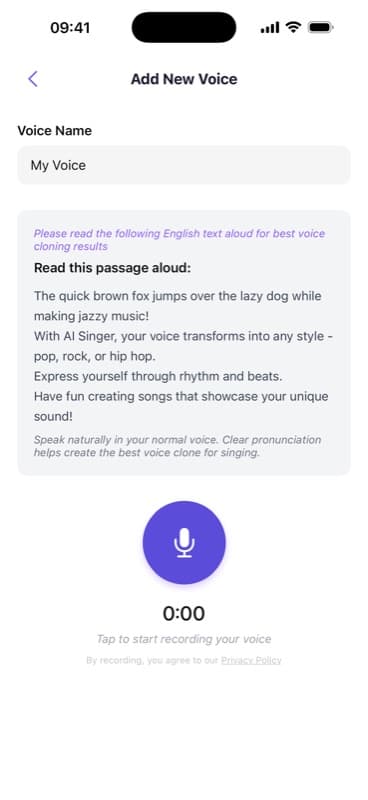 Recording a voice clone in AI Singer — a 10-second on-screen script
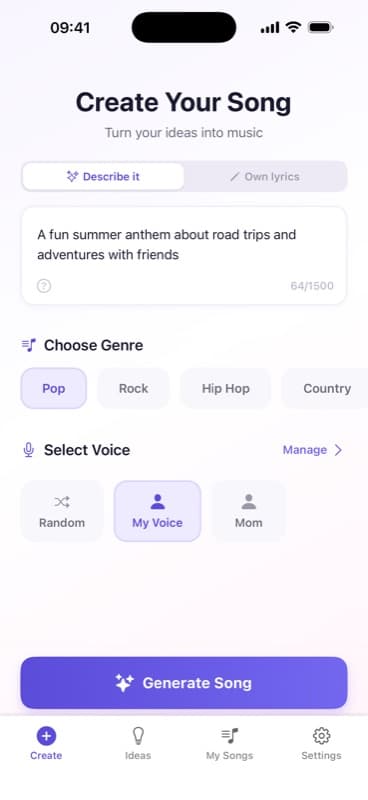 Describing a song idea in AI Singer's create flow
Your first song is free, so you hear your own cloned voice before paying anything. There's also a music-video feature: pick a lyric line, add a photo, and the AI lip-syncs a shareable portrait video clip.
 AI Singer's player with a finished song
Pros:
- Voice cloning from just 10 seconds of audio — the fastest setup of any tool here
- Complete song in under 5 minutes
- 100+ genres
- AI lyrics from a plain-language description, or write your own with structure tags
- First song is free — you hear your voice singing before you pay
- Music videos with AI lip-sync built in
- Cheapest paid plan on this list at $6.99/month
Cons:
- Mobile only (iOS & Android) — no desktop app
- Focused on personalization over music production depth
- Less control over fine production details than producer tools
Best for: Anyone making a personal song — birthdays, weddings, lullabies, memorials, gifts for loved ones.
Suno
Suno is the speed king of AI music generation — and by user count, the biggest name on this list. Type a prompt, pick a style, and you get a full song, vocals included, in about a minute. For content creators who need a steady stream of tracks, that speed is the whole pitch.
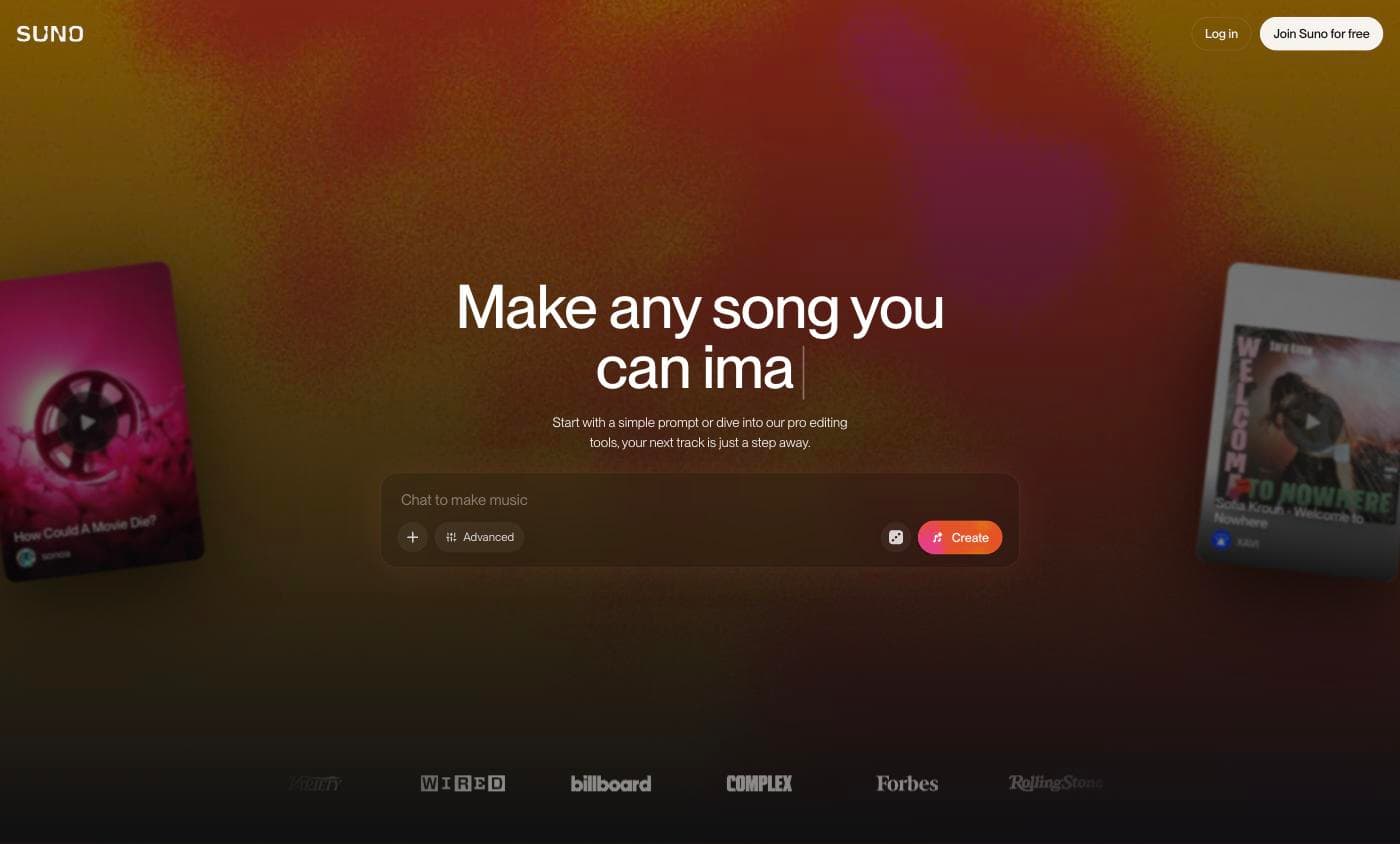 Suno's web interface
In March 2026 Suno added Voices, a voice-influenced generation feature on paid plans. It's worth being precise about what that is: Voices takes 30 seconds to 4 minutes of your audio and influences the generated vocals toward your voice. It is not a clone, and users widely report the result sounds more like a generic AI singer than like them. Activating it also requires agreeing — with no opt-out — to grant Suno a perpetual, irrevocable right to use your voice recordings to improve their AI, and their own policy notes this may qualify as biometric data. Read that agreement before you record.
Pros:
- Fast generation (30–60 seconds)
- Songs up to 8 minutes long
- Huge style range and an active creator community
- Custom lyrics or AI-generated
Cons:
- Voices is voice-influenced, not true cloning — often doesn't sound like you
- Voice features are fully paywalled (Pro plan, from $8/mo billed annually, $10 month-to-month); free plan gets none
- The perpetual voice-data license mentioned above
- Downloads are capped from September 3, 2026 — 7 lifetime on free, 20/month on Pro, 60/month on Premier, applied retroactively to songs made earlier (full breakdown)
- Web-first — the experience is built around the desktop
Best for: Content creators, hobbyists, and anyone who needs lots of AI music quickly.
Udio
Udio gives you more creative control than most AI music tools. Where Suno optimizes for one-shot speed, Udio is built for iteration: a curated Style Library, style blending, and segment-based generation let you build a song piece by piece and steer it as you go.
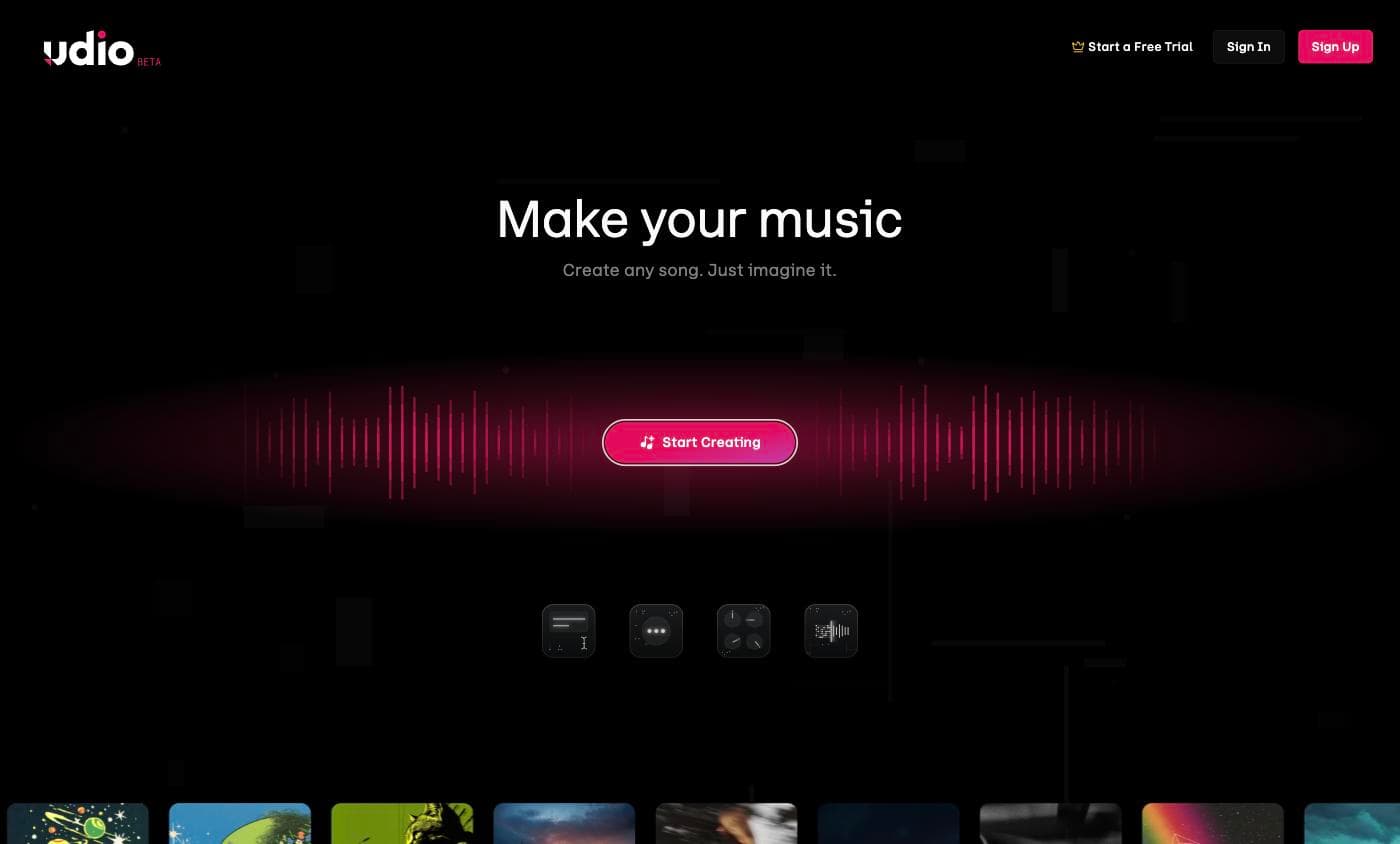 Udio's web interface
The workflow takes getting used to — songs generate in 32-second segments that you extend and refine, which is powerful for producers and tedious if you just want a finished song in one tap. Be aware of the download situation before subscribing: after settling with Universal Music in October 2025, Udio switched downloads off entirely and gave users a 48-hour window to save their libraries. Suno has since announced caps of its own, and we compare both in Suno's new download limits. Check Udio's current policy directly if keeping the files matters to you.
Udio does now have a Voices feature (via the Voice Control tab): you can keep a consistent AI voice across songs, picked from Udio's library or saved from a track Udio generated. What you can't do is upload your own voice — Udio confirms your voice can't be a source. So Udio's vocals stay consistent, but they're never you.
Pros:
- Style Library with curated, professional styles
- Style blending for unique combinations
- Voices keeps a consistent AI vocalist across songs
- Three lyric modes: auto-generate, write your own, or instrumental
- Deep control over song structure via segment extensions
Cons:
- No cloning of your own voice — Voices only reuses library or Udio-generated voices
- Segment-based workflow is slower for "just give me a song"
- Licensing transition has affected features like downloads
Best for: Music producers, creative experimenters, and people who want control over the final product.
Kits.ai
Kits.ai is not a song generator — it's a voice conversion tool, and it's the most studio-oriented product here. You bring your own finished music, and Kits converts the vocals to a different voice: yours, a bandmate's, or one of 75+ royalty-free library voices.
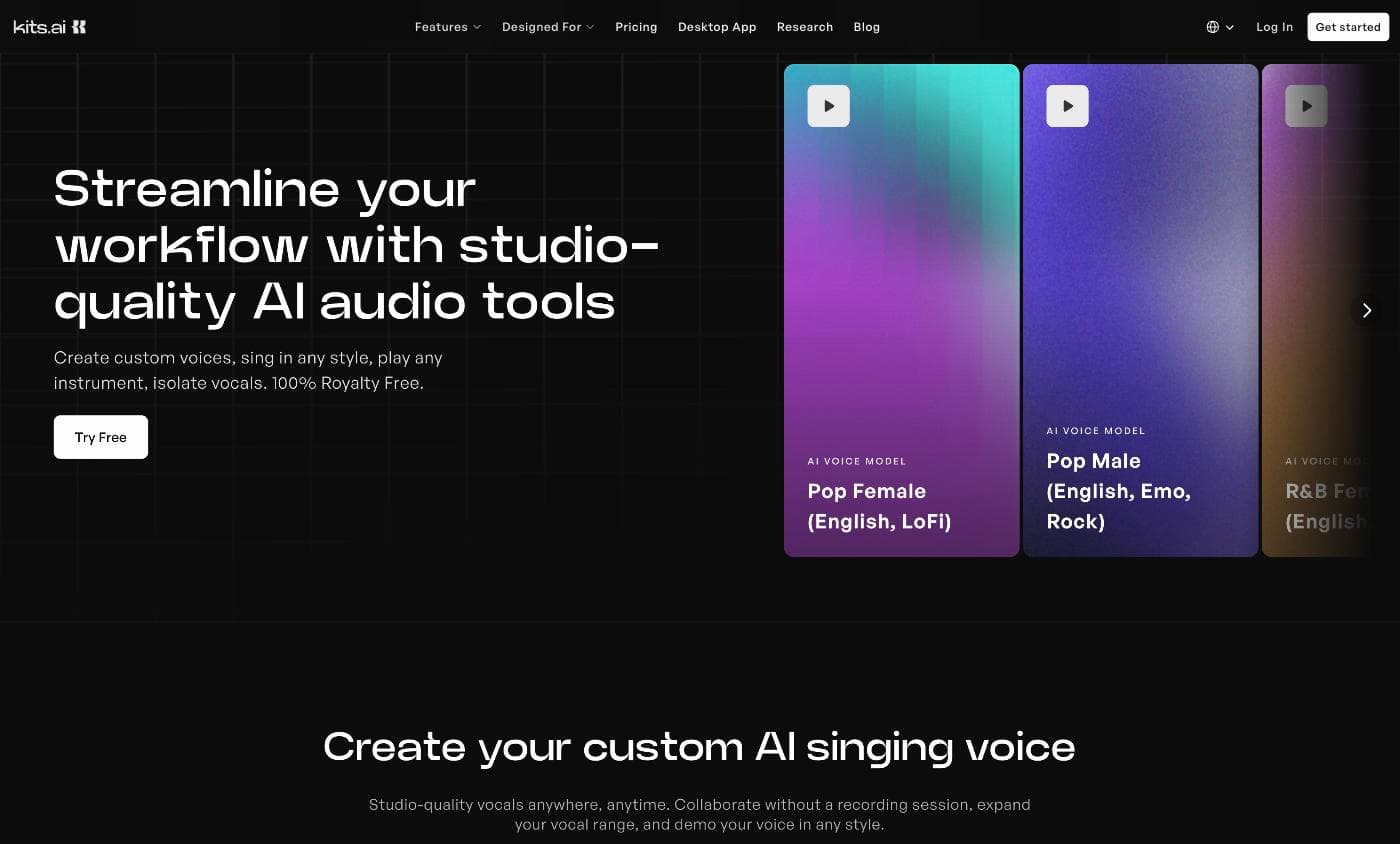 Kits.ai's web interface
Its cloning is tiered by effort: Instant (30 seconds of audio), Guided (about 5 minutes), and Professional (15–30+ minutes of clean recordings for the best result). That last tier is aimed at working musicians — it's the opposite philosophy of AI Singer's 10-second setup, trading convenience for fidelity on serious vocal work.
Pros:
- Three cloning tiers, from 30-second Instant to studio-grade Professional
- Optimized specifically for singing voices
- 75+ royalty-free voice library
- Pitch shifting up to 24 semitones
Cons:
- Does not generate music — you must supply your own audio
- Professional cloning needs 15–30+ minutes of clean samples
- Free plan has no voice slots or download minutes — real use starts at $10/mo
- Aimed at people who already produce music
Best for: Musicians, cover artists, and producers who have existing tracks and want to swap or clone vocals.
Comparison table
| Feature | AI Singer | Suno | Udio | Kits.ai |
|---|---|---|---|---|
| Type | Song generator + voice clone | Song generator | Song generator | Voice conversion |
| Voice cloning | 10 sec recording | Limited — voice-influenced, paid plans only | AI voices only — not yours | 30 sec to 30 min |
| Your voice sings | Yes | Partially — voice-influenced only | No | Yes (conversion) |
| Time to song | Under 5 min | ~1 min | 30 sec/segment | N/A (bring your own) |
| Custom lyrics | Yes | Yes | Yes | N/A |
| Platform | iOS & Android | Web | Web | Web |
| Free tier | First song free | Yes, no voice features | Yes, limited | Yes, no downloads |
| Downloads | No cap on your plan's songs | Capped from Sept 3, 2026 | Restricted since UMG deal | Paid plans only |
| Starting price | $6.99/mo | $8/mo annual · $10 monthly | $8/mo annual · $10 monthly | $10/mo |
Competitor pricing re-verified July 2026 from each provider's public pricing page; download policies re-checked August 2026. Check their sites for current details.
Category winners
Best for personalization: AI Singer. Go from zero to a song in your own voice in minutes — 10 seconds of audio, done. Suno's Voices is paywalled behind Pro, needs up to 4 minutes of audio, and users widely report it doesn't sound convincingly like them. If the song is a gift or something personal, AI Singer is the tool.
Best for quick generation: Suno. Prompt to finished song in under a minute. Hard to beat for volume.
Best for creative control: Udio. The Style Library, blending, and segment-based workflow give producers real creative depth.
Best for vocal conversion: Kits.ai. If you already have a track and want to change the voice, Kits is purpose-built for that — Instant cloning for speed, Professional for studio results.
Best all-in-one: AI Singer. The only tool on this list that generates music AND truly clones your voice in one step. "Voice-influenced" and "voice cloning" are not the same thing — and the tools that do the former charge more.
Frequently asked questions
Is there a free AI song generator?
All four tools have some free entry point. AI Singer gives you your first full song free, in your own cloned voice. Suno and Udio have free tiers for generation with AI vocals (no voice features). Kits.ai has a free plan with limited conversion minutes and no downloads. If "free" matters most, start with the tool whose paid plan you'd actually want — the free tiers exist to show you that.
Can AI really sing in my voice?
Yes — that's specifically what voice-clone generators do. AI Singer builds a voice model from a 10-second recording that captures the tone and character of your voice, then uses it to sing generated songs. Voice conversion (Kits.ai) gets there differently: it replaces the vocals in music you already have. Suno's Voices only influences the output toward your voice.
Do I own the songs I create?
Policies differ by tool and plan — always check the terms of the one you pick. With AI Singer, the songs you create are yours to use, including commercially, as long as your lyrics are original.
Which tools work on my phone?
AI Singer is the only mobile-first tool on this list, with iOS and Android apps. Suno, Udio, and Kits.ai are built around the web and desktop.
How long does it take to make a song?
Suno is fastest at 30–60 seconds. AI Singer takes 2–5 minutes because it renders the vocals with your voice model. Udio generates in 32-second segments you extend. Kits.ai depends on the length of the track you bring.
What's the difference between voice cloning and voice conversion?
Cloning builds a reusable model of your voice that can sing new material (AI Singer). Conversion takes an existing recording and swaps the voice on it (Kits.ai). If you want new songs in your voice, you want cloning; if you have finished tracks, you want conversion.
Which should you pick?
It depends entirely on what you're making and who it's for.
Making a Mother's Day song in dad's voice? A retirement song from a coworker? A hip-hop track for your friend's birthday? AI Singer.
Want fast AI-generated vocals at volume? Suno.
Producing a track and want to dial in the exact sound? Udio.
Swapping vocals on an existing recording? Kits.ai.
The AI music space is big enough for all of these tools to coexist. The best one is the one that matches what you actually need.
Try AI Singer free with pop — your voice, under 5 minutes. Upgrade to Pro ($6.99/month) to unlock 100+ genres like country, jazz, and rock.
Ready to Try AI Singer?
Record 10 seconds of your voice. Get an original song in under 5 minutes.


Related Articles
AI Singer vs Suno: Which AI Music Generator Should You Use?
Compare AI Singer and Suno side by side. One clones your voice in 10 seconds, the other generates AI music. See which fits your needs in 2026.
Udio vs AI Singer: Music Quality vs Singing in Your Own Voice
Udio generates high-quality AI music. AI Singer clones your voice in 10 seconds. Compare features, pricing, and find which tool fits your needs.
How AI Clones Your Voice from Just 10 Seconds of Audio
Learn how AI voice cloning turns a 10-second recording into a full singing voice. No training, no studio, no singing skills needed. Here's the science.